VaxiGen is distinguished by simple and user-friendly interface.
The instructions for working with it are presented below.
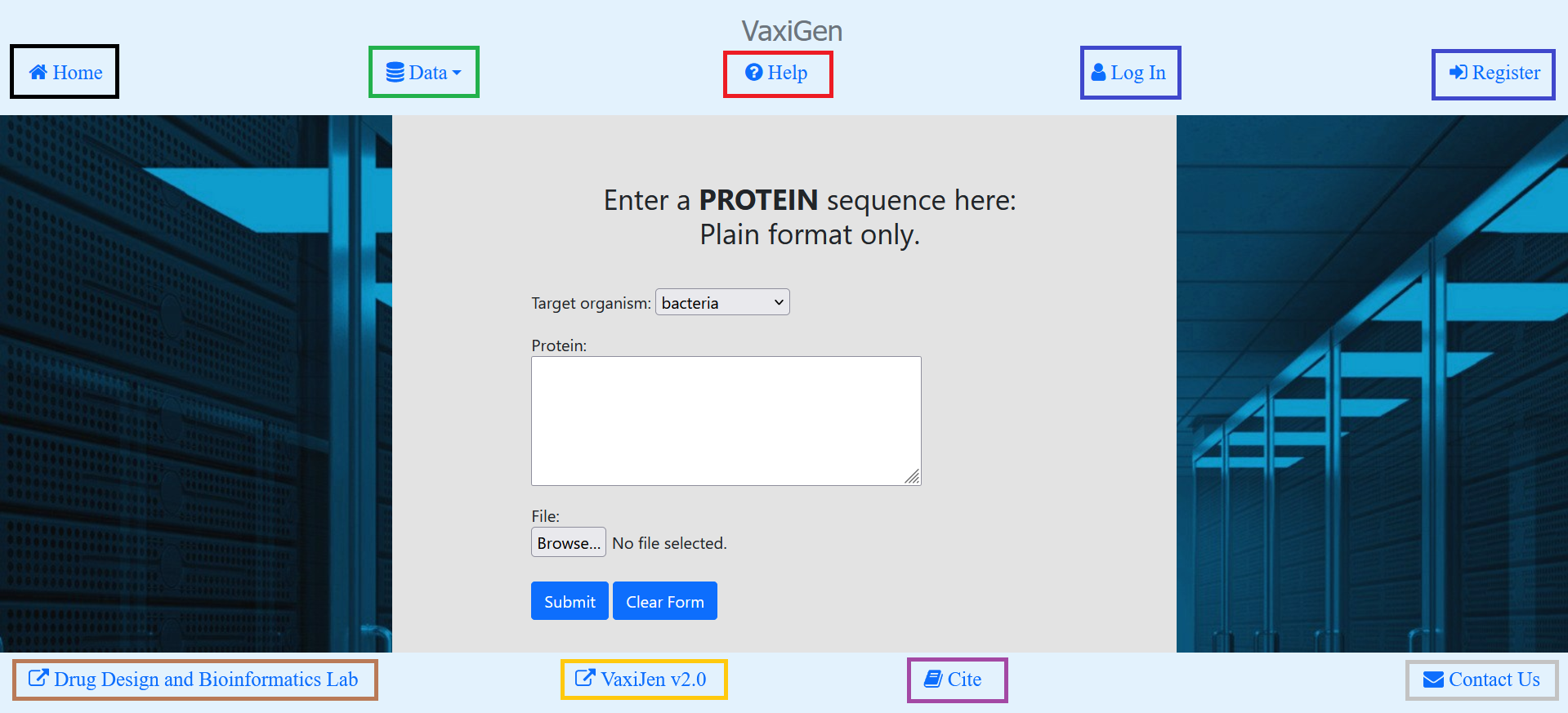
The Home page presents the server to the user. From the top navigation bar the user can access the following
functionalities:
From Home link the user can access the Home page.
From Data dropdown menu the user can visit the Tumor and Viral Databases. They contain the datasets used in
the development of the tumor and viral models. They are accessible for downloading, searching and
analysis. From here the user can also download the datasets using for bacterial models.
From Help link the user can access the Help page where instruction with working with the servers`
functionalities are presented.
Both Log In and Register links appear when user is currently not logged in (as shown here).
First link is for log in to an existing user account and the second link is for creating a new account.
Username, email address and password are needed. When user is logged in, these links are replaced with
Hello, {username} and Log Out, respectively.
From the bottom navigation bar the user can access the following functionalities:
Drug Design and Bioinformatics Lab link redirects to the site of the VaxiGen authors.
VaxiJen v2.0 link redirects to VaxiJen v2.0.
Cite link contains references to articles the user could consider citing if the user finds VaxiGen useful.
Contact Us link allows the user to contact the authors of VaxiGen via email address.
The user can access the main function of VaxiGen – immunogenicity assessment of proteins,
on the Home page. In order to do so, the user should be logged in his account. Here, from the main form:
First, the user choses target organism (bacteria, virus or tumor).
Then, the user can choose to assess either single protein/peptide in plain text format or file with
multiple proteins/peptides in FASTA format and submits the form.
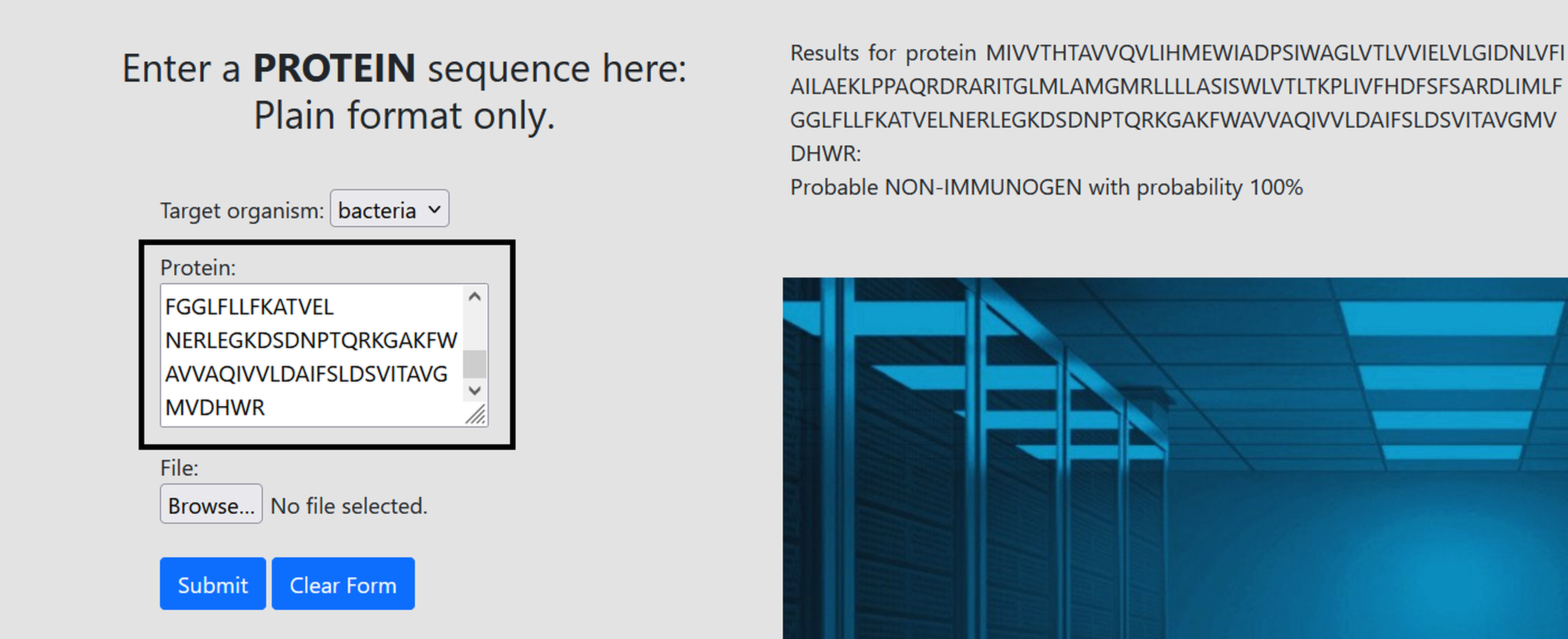
Immunogenicity assessment of single protein/peptide looks as follows:
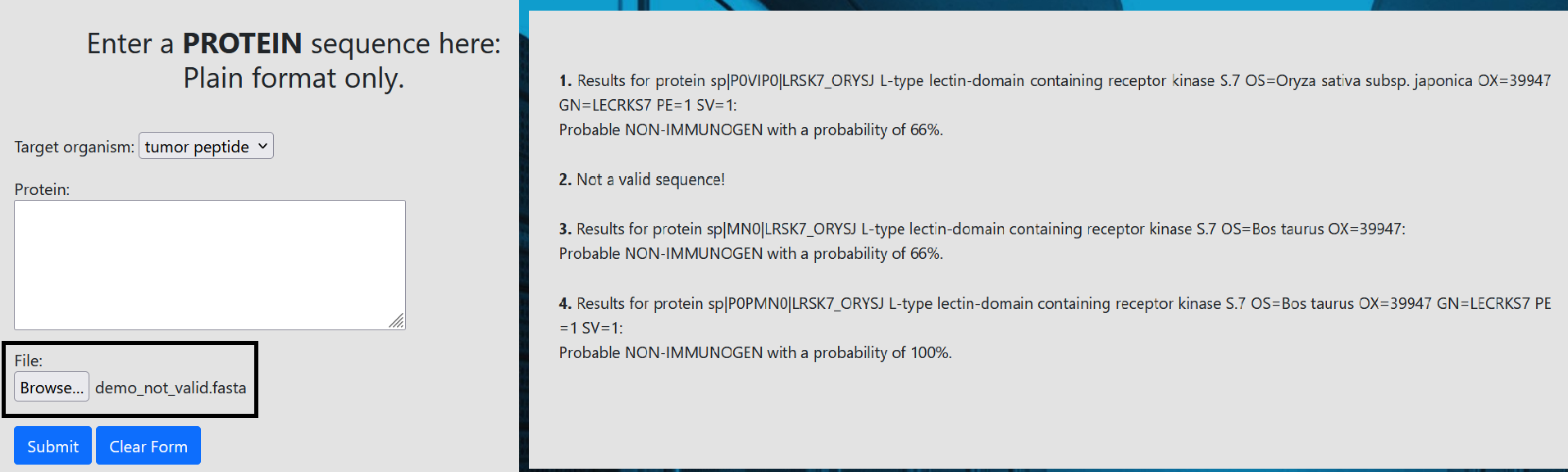
Immunogenicity assessment of a file with multiple proteins/peptides looks as follows:
The probability which is assigned to a protein when making an immunogenicity assessment corresponds to
that how many of the models classify the protein as immunogenic/non-immunogenic. Since for every target
organism the models there are three models, the possibilities are:
None of the three models classify a protein as non-immunogenic: probable non-immunogen with a probability of 100%.
One model classify a protein as immunogen: probable non-immunogen with a probability of 66%.
Two models classify a protein as immunogen: probable immunogen with a probability of 66%.
All three models classify a protein as immunogen: probable immunogen with a probability of a 100%.
Details on the datasets, computational method and validation of the models can be found in the following studies:
1. Dimitrov I, Zaharieva N, Doytchinova I.
Bacterial Immunogenicity Prediction by Machine Learning Methods.
Vaccines (Basel). 2020 Nov 30;8(4):709. doi: 10.3390/vaccines8040709.
PMID: 33265930; PMCID: PMC7711804.
2. Doneva N, Dimitrov I. Viral Immunogenicity Prediction by Machine
Learning Methods. Int J Mol Sci. 2024 Mar 3;25(5):2949.
doi: 10.3390/ijms25052949. PMID: 38474194; PMCID: PMC10932092.
3. Sotirov, S.; Dimitrov, I. Application of Machine Learning
Algorithms for Prediction of Tumor T-Cell Immunogens. Appl. Sci.
2024, 14, 4034. https://doi.org/10.3390/app14104034.