VaxiJen v2.1 is distinguished by simple and user-friendly interface.
The instructions for working with it are presented below.
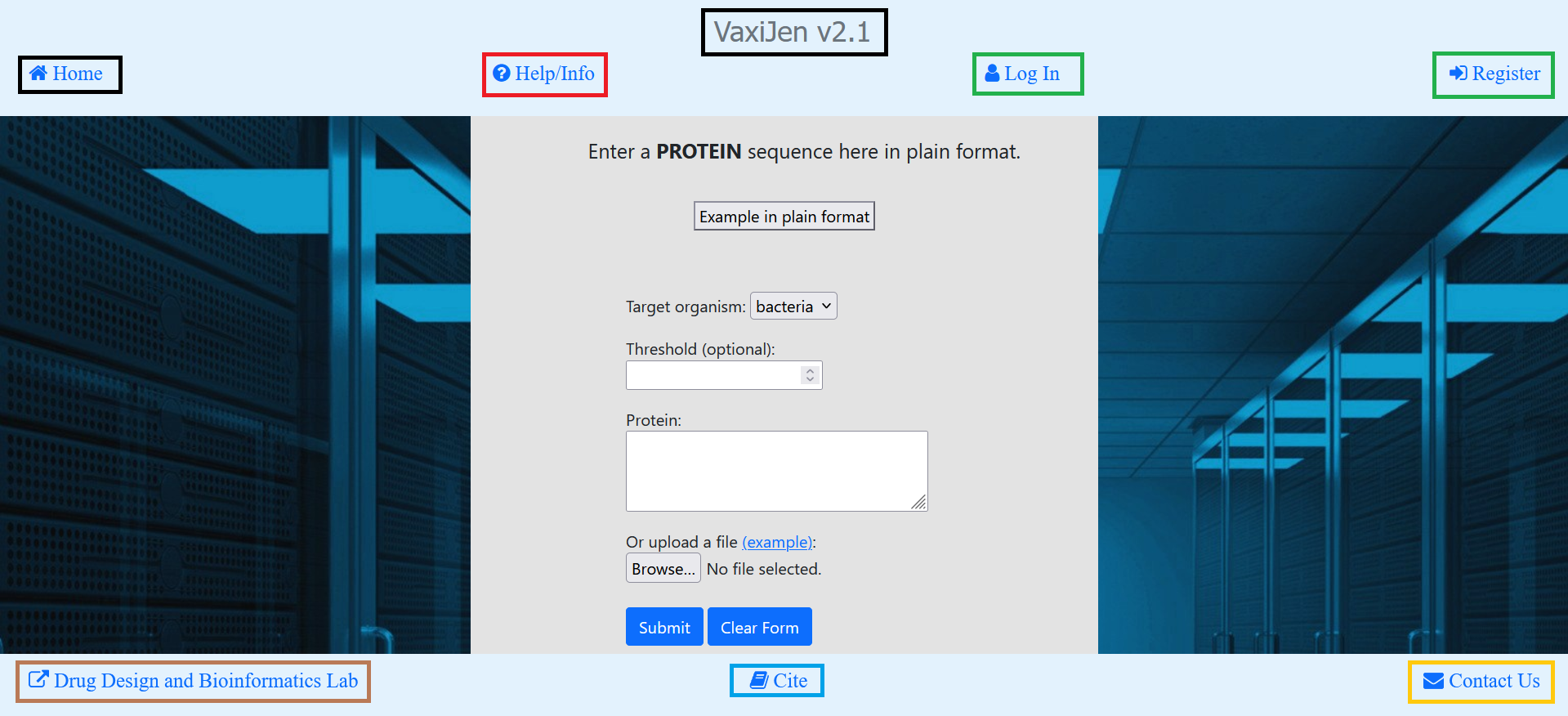
The Home page presents the server to the user. From the top navigation bar you can access the following
functionality:
From Home link you can access the Home page.
From Help/Info link you can access the Help page where instruction for working with the server`s
functionality are presented.
Both Log In and Register links appear when user is currently not logged in (as shown here).
First link is for log in to an existing user account and the second link is for creating a new account.
Username, email address and password are needed. When user is logged in, these links are replaced with
Hello, {username} and Log Out, respectively.
From the bottom navigation bar you can access the following functionalities:
Drug Design and Bioinformatics Lab link redirects to the site of the VaxiJen v2.1 authors.
Cite link contains references to articles you could consider citing if you find VaxiJen v2.1 useful.
Contact Us link allows the user to contact the authors of VaxiJen v2.1 via email address.
The user can access the main function of VaxiJen v2.1 – immunogenicity assessment of proteins,
on the Home page. In order to do so, the user should be logged into his account. Here, from the main form:
First, the user chooses target organism (bacteria, fungus, parasite, tumor or virus).
The user can also optionally input a threshold value for the immunogenicity classification.
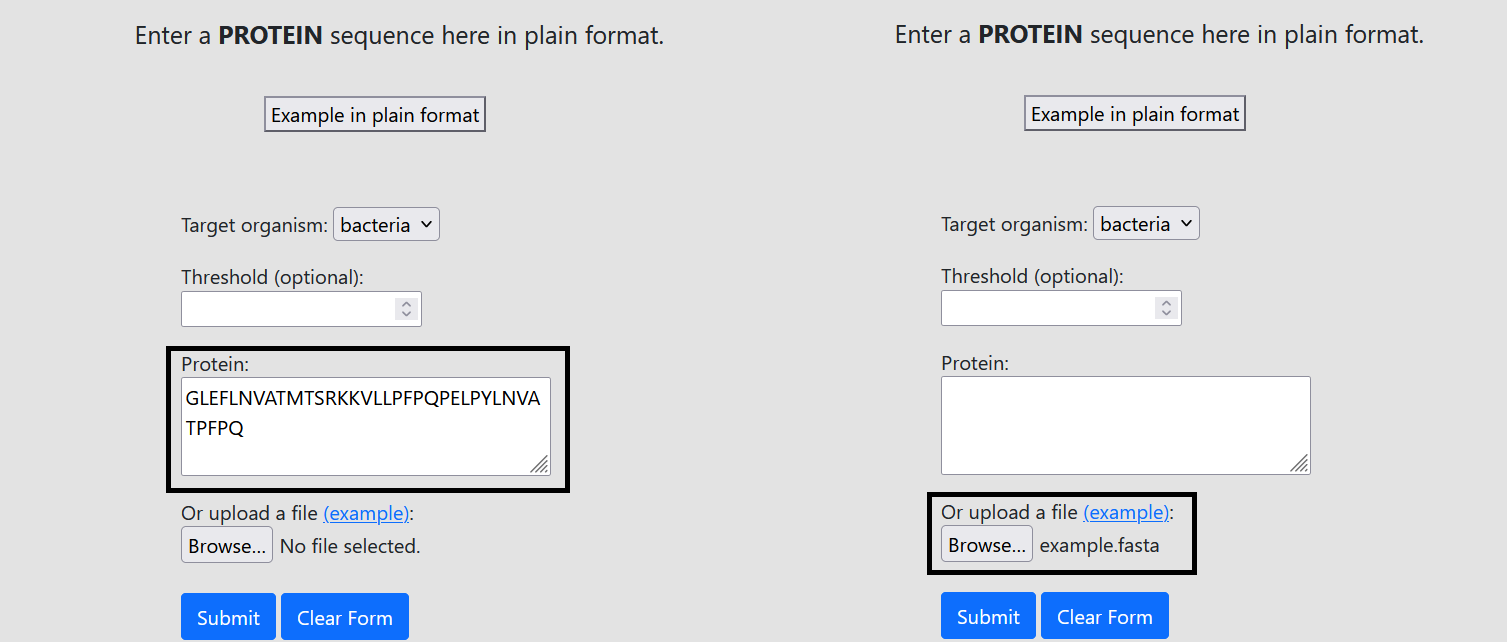
Then, the user can choose to assess either single protein/peptide in plain text format or file with
multiple proteins/peptides in FASTA format and submits the form:
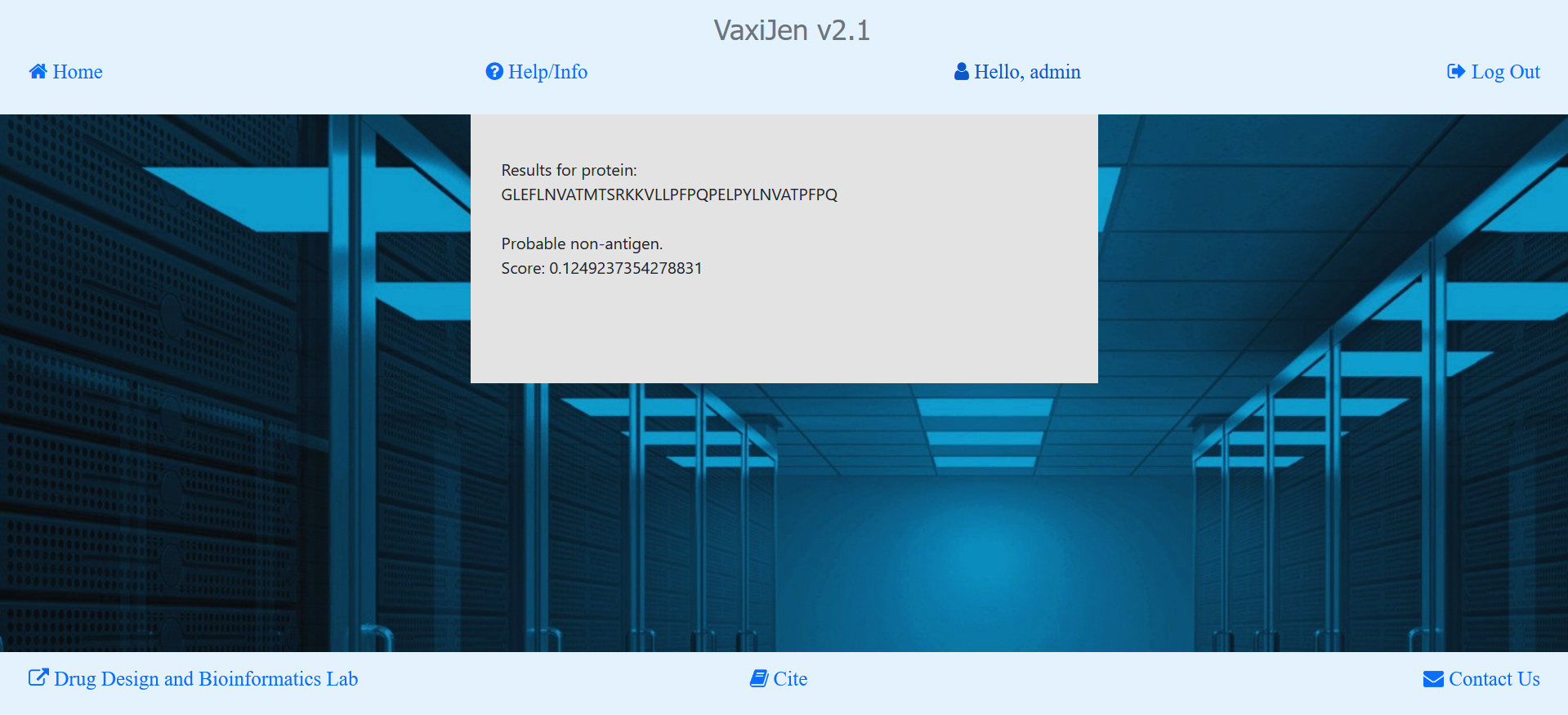
Submission of a single protein sequence in plain format is free of charge.
The user is allowed to use this form up to 10 times per day.
Results are displayed directly in the browser.
Antigenicity prediction of a file is paid service which can be used unlimited amount of times.
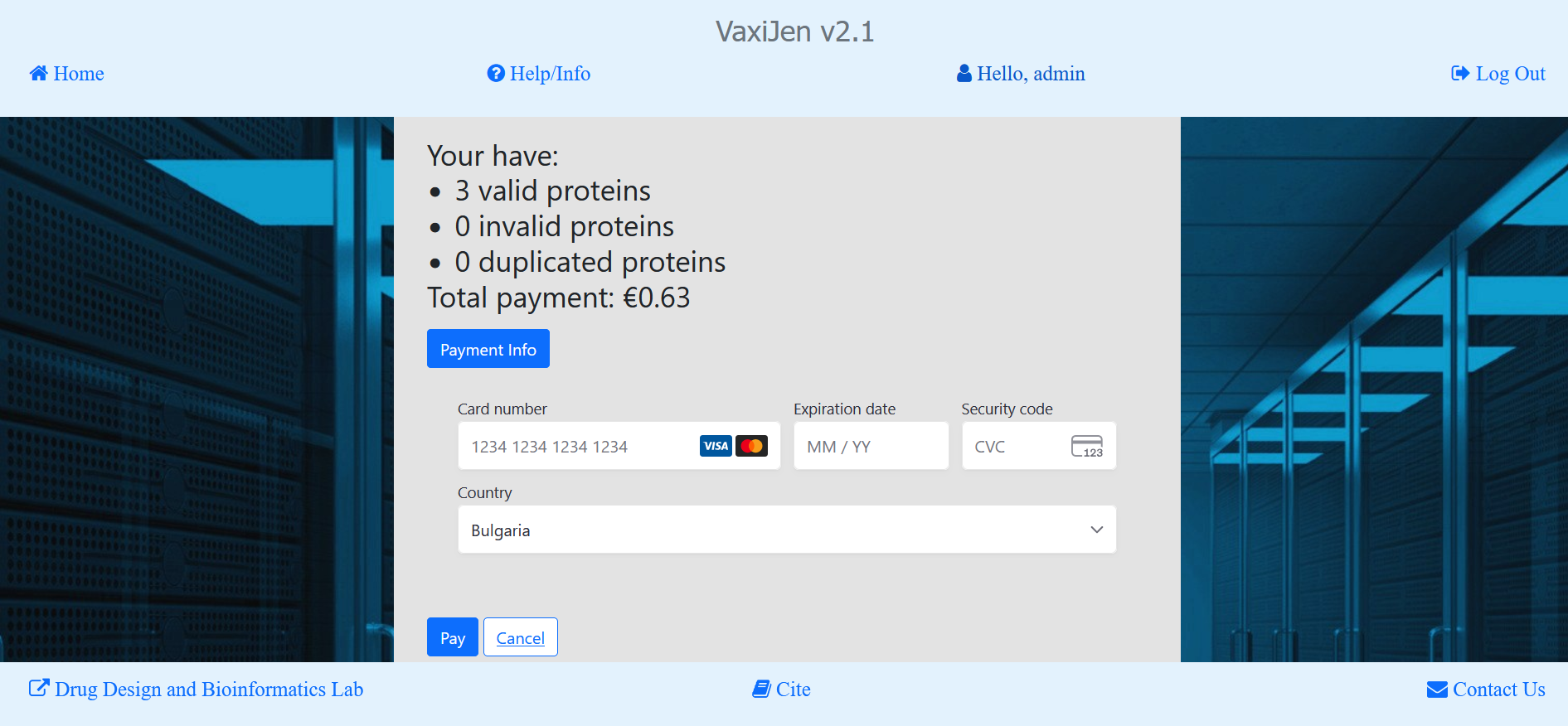
After the user submits the file input form, the payment form is initialized.
It shows the estimated fee. From Payment Info button the user can see how the fee is being calculated.
In this form, the user fills information about:
Card number
Expiration date
Security code
Country
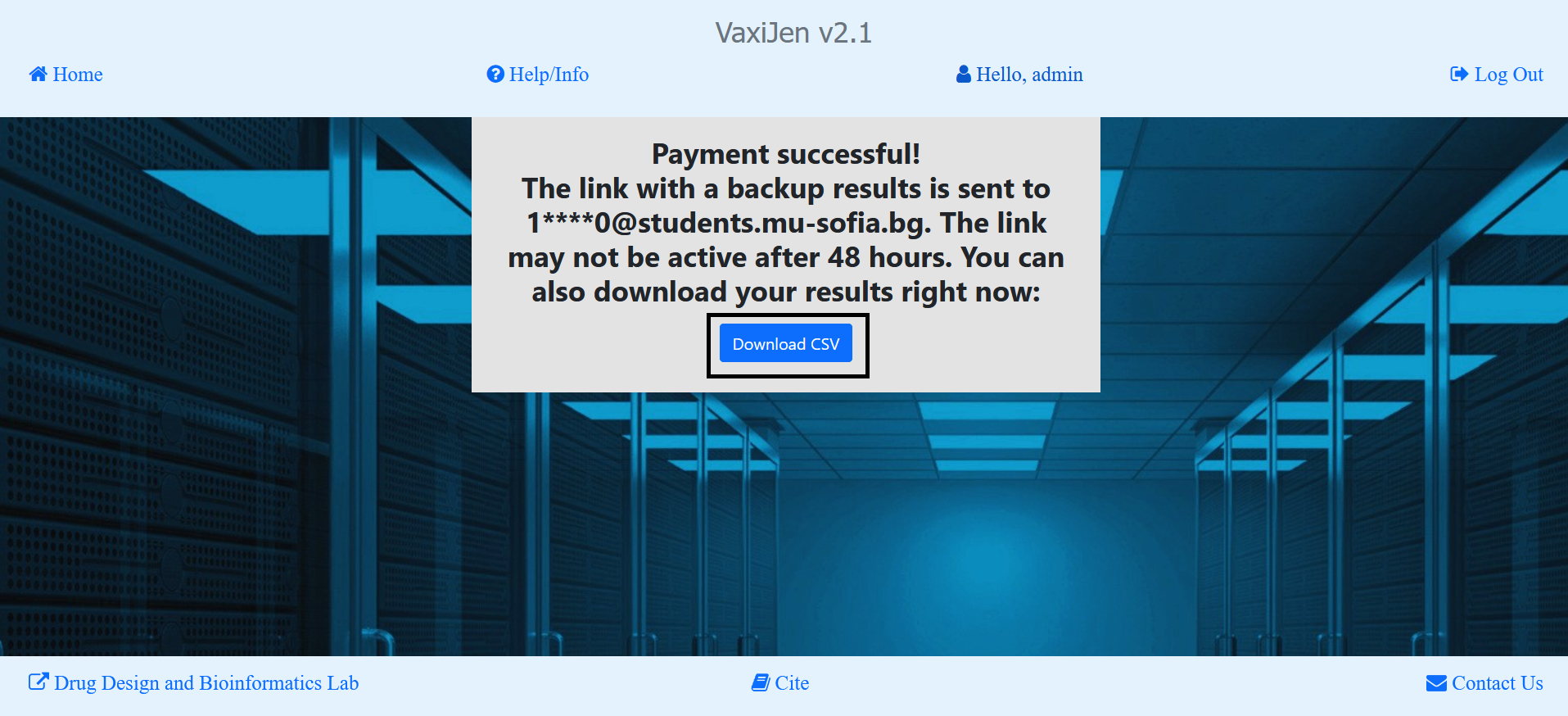
After the payment is processed, the result is calculated and then presented to the user.
The user can download the result from Download CSV button.
A backup of the results is also being sent to the user`s email.
The email contains a download link for the .csv result file which expires after 48 hours.
Details on the datasets, computational method and validation of the models can be found in the following studies:
1. Doytchinova IA, Flower DR. Identifying candidate subunit vaccines using an alignment-independent method based on principal amino acid properties. Vaccine, 25(5), 856-866, 2007.
Download PDF
2. Doytchinova IA, Flower DR. VaxiJen: a server for prediction of protective antigens, tumour antigens and subunit vaccines. BMC Bioinformatics, 8, 4, 2007.
Download PDF
3. Doytchinova IA, Flower DR. Bioinformatic approach for identifying parasite and fungal candidate subunit vaccines. The Open Vaccine Journal, 1(1), 22-26, 2008.
Download PDF